
A Race Day That Talks Back
Your pace and your position, live, the whole way round.
Most race data arrives after you've crossed the line, once it's too late to do anything with it. Athlete IQ puts your pace, your position, and your strengths and weaknesses in front of you while the race is still happening, not the next morning when you're re-reading your splits over breakfast.
How race day live tracking works
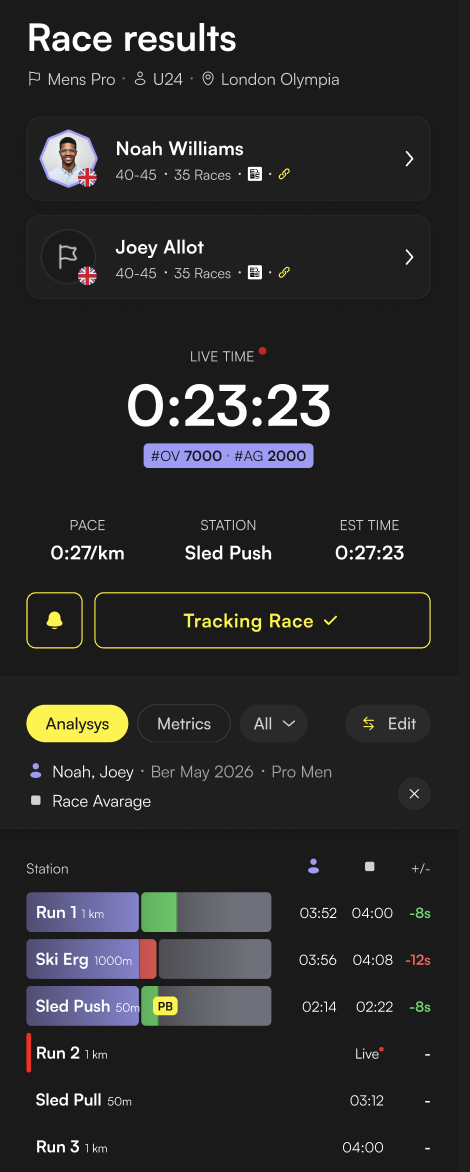
Compare your pace kilometre by kilometre against anyone you've raced before, and see exactly where you pulled ahead or fell behind, run by run. A spider diagram tracks your strengths and weaknesses live through the race, and a leaderboard preview shows nearby finishers and overall standings before you've even crossed the line, filterable by age group or wave.
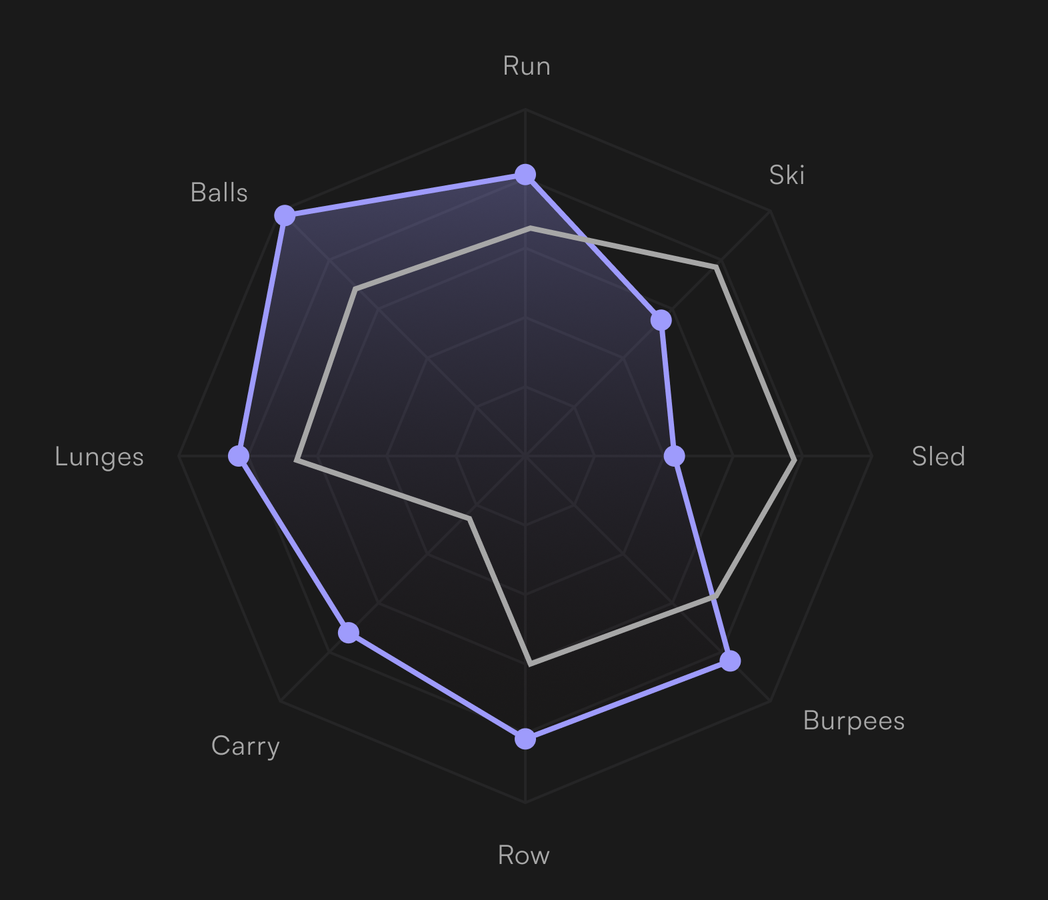
Why live data changes how you race
Knowing you faded on the run after Sled Push is useful information, but it's a lot more useful at kilometre six than it is the next morning. Live tracking gives you the chance to actually respond mid-race, ease off a fraction earlier, push a station you know you're strong on, rather than only ever learning the lesson in hindsight. It turns race data from a post-mortem into something you can act on while it still matters.
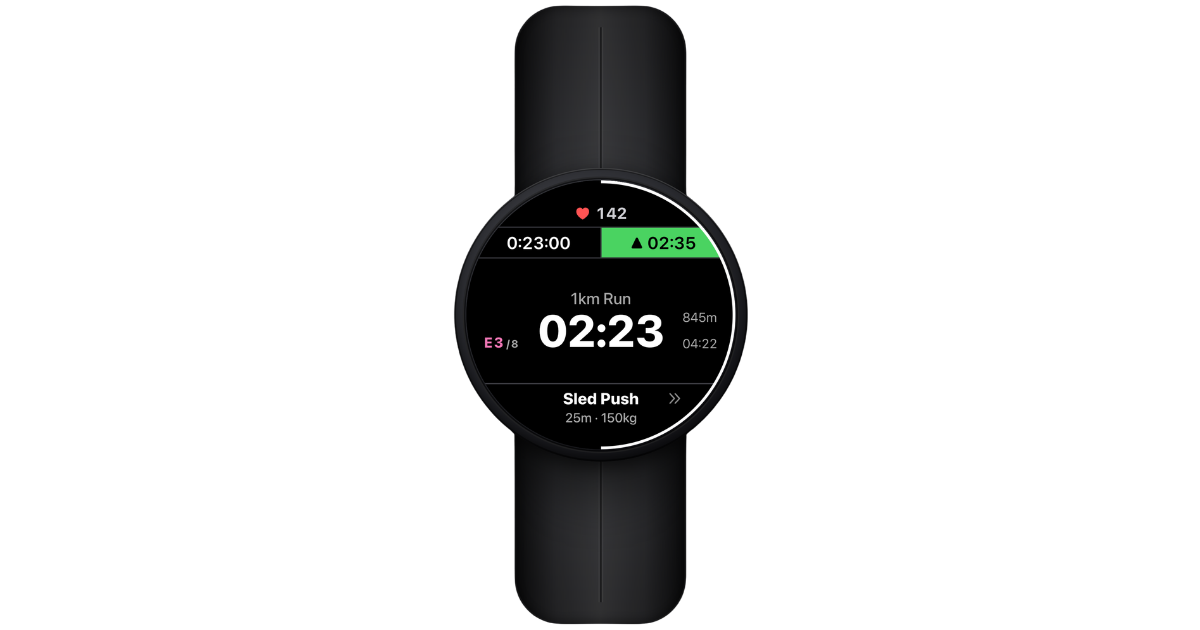
Where to find it
During live race tracking, look for the Analysis tab alongside your Splits view. Everything updates automatically as each station and run completes, no need to refresh or check back later, it's there the moment you glance down.
Who gets the most out of it
Anyone racing an event ROXFIT tracks live, especially athletes who've raced before and have history to compare against. The pace comparison and spider diagram both lean on past effort data, so the more you've raced and logged, the sharper the live picture gets.
Getting the most out of it
Glance at the pace comparison after your weakest station rather than constantly through the race. It tells you whether you're recovering the way you usually do, or whether you need to adjust the next few stations to compensate. Checking obsessively costs you more than it gives back, a glance at the right moment beats staring at your wrist the whole way round.
Common questions
Does this work for any race, or just ones I've raced before? Live tracking itself works for any tracked event, but the pace comparison needs a past effort of yours to compare against.
Does the leaderboard preview include the whole field or just people near me? Both, it shows nearby finishers around your position as well as overall standings, filterable by age group or wave.
Can I check this after the race instead of live? Yes, the same Analysis view stays available on your result once you've finished.
This live race view unlocks with Athlete IQ, one of the two pillars in ROXFIT Ultra. See everything Ultra includes.
